1. Overview
This article introduces how to control devices using the MQTT IoT protocol.
You need to prepare Mixly and our S3 driver board. For Mixly installation and configuration, please refer to the link below.
Getting Started with Mixly
2. Mixly Code
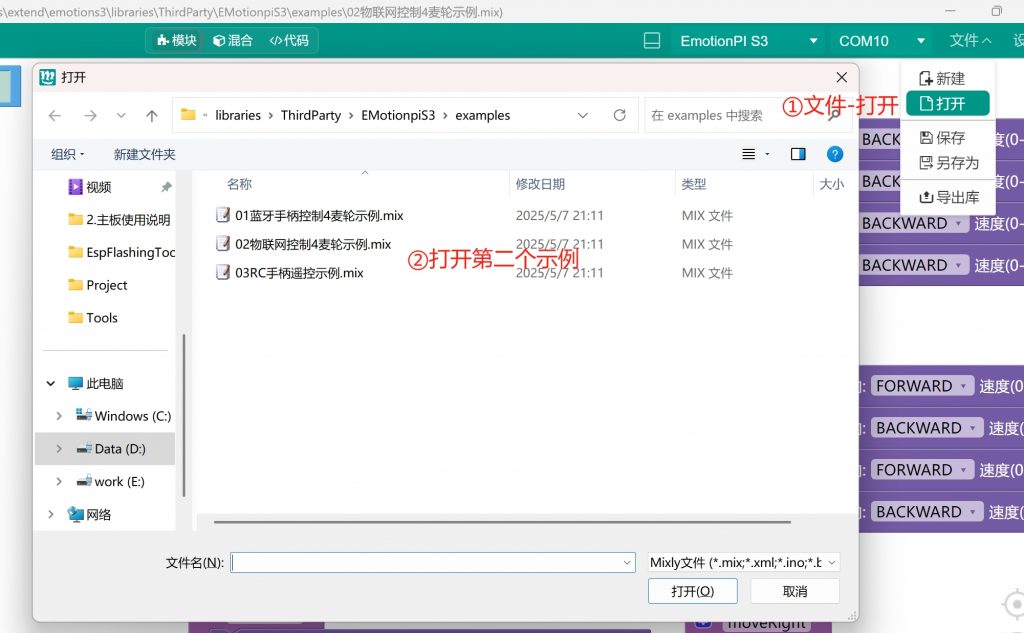
-
First extract the downloaded plugin folder, then open the IoT control example under the Examples folder;
-
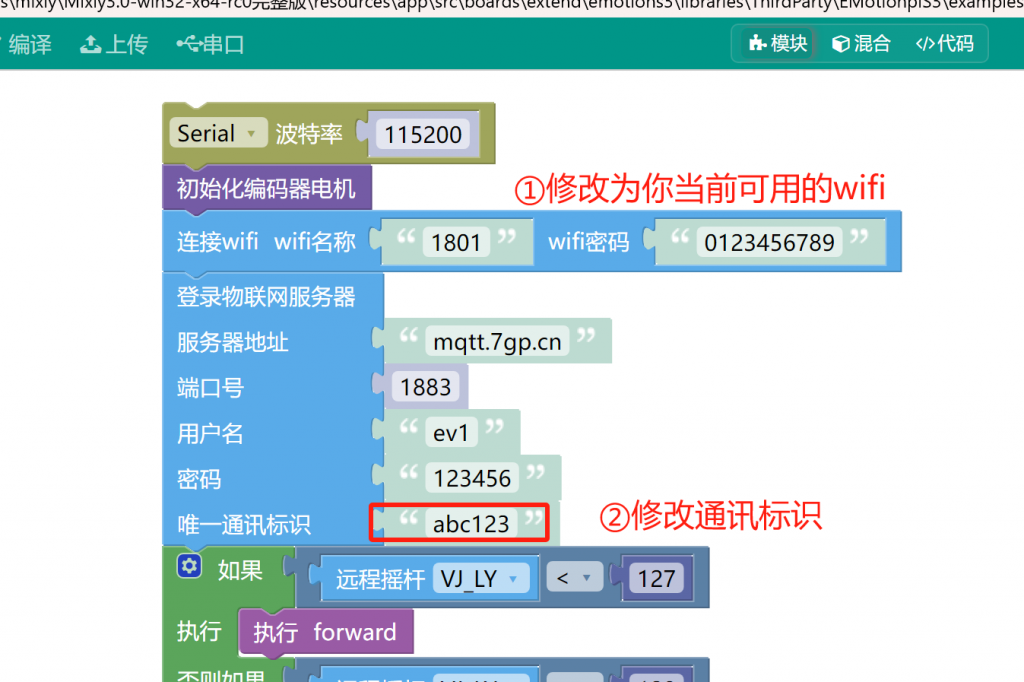
Modify the unique communication identifier as shown below;
-
Upload the code to the S3 driver board.
3. Control End
Please use your phone to open the web control end http://rc.7gp.cn/
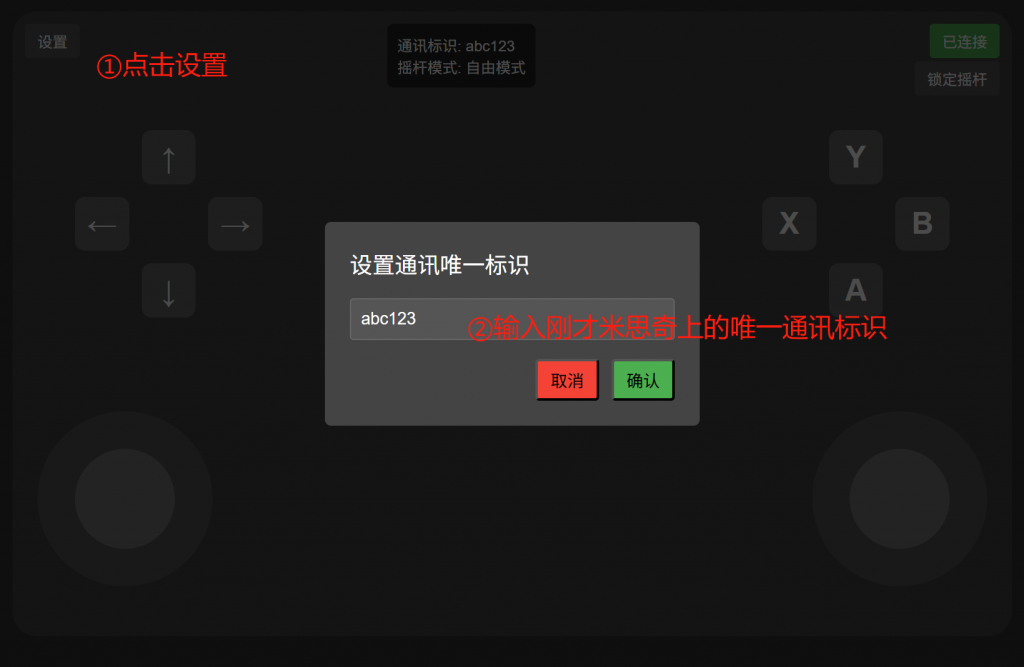
Click OK to automatically connect to the network; the control end will send commands to your driver board;
4. Download the Android App Remote Control
We also provide an Android version of the IoT remote control test.
Click to download the installation package
You can also scan the QR code to download.
Download Android source code from network drive
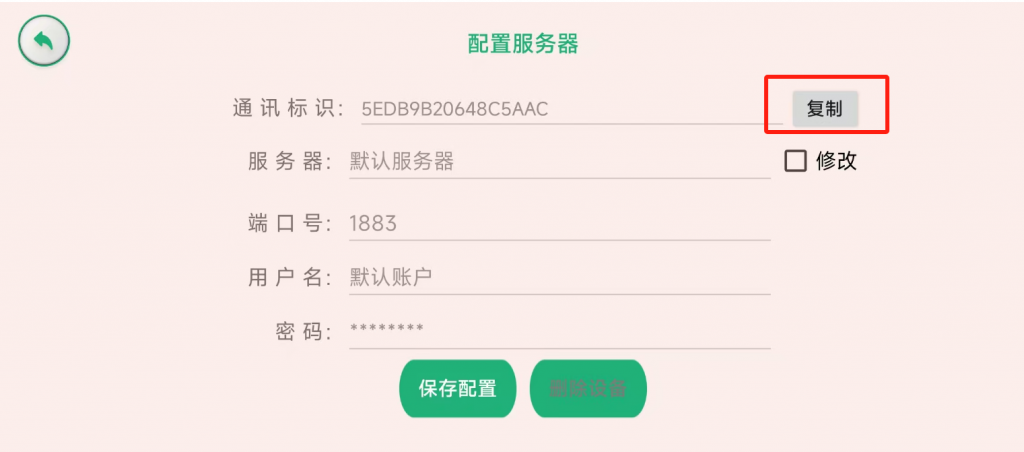
Please copy the communication identifier in the app into Mixly to ensure both sides use the same communication identifier. You can also develop your own Android or Apple APP based on the source code of the web end or by embedding the web-end source code.
5. Conclusion
-
If you have your own IoT server, you can modify the server information in Mixly and the open-source code on the web end to pair them;
-
If you need to implement other control ends, you can embed the web code into them, or develop your own code by referencing it.