1. Overview
This tool provides a program flashing function for Qiguopai driver boards; you can flash our example code without writing any code.
Note: this tool can only run on Windows, and supports several of our main products: Arduino Uno, ESP32 Wemos D1 R32, and ESP32 S3 development boards. Download it and double-click to run.
The factory programs in the tool are all open source; click to jump to the download page.
2. Flashing Tool
Download the Windows flashing tool. Click to download
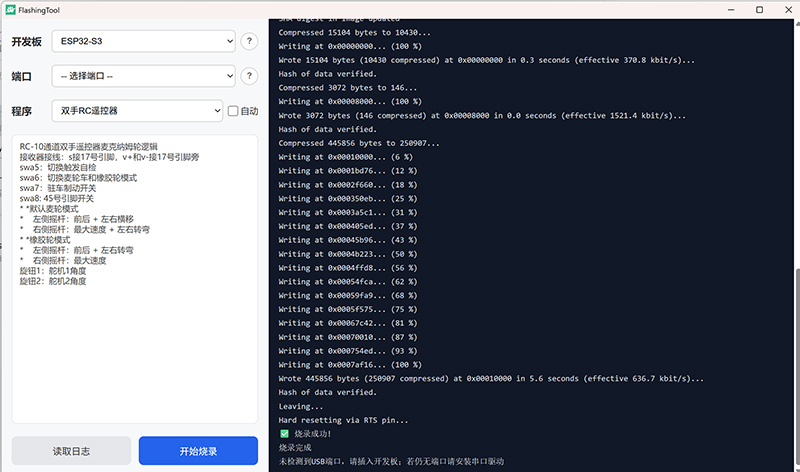
After extraction, double-click to launch; the interface is as follows:
-
Connect to the computer
-
Disconnect the power supply and unnecessary sensors, which may interfere with the port.
-
Use a data cable to connect the development board to the computer.
-
The S3 driver board does not come with a data cable; you can use a phone data cable, plugging the Type-C end into the board.
-
Port
If no port is available, click the question mark in the tool; it will guide you to install the driver.
- Flash the program
Select the program to flash from the drop-down box; after selecting, the program's features will be shown below.
- Start flashing
Click [Start flashing]; the log box below will display progress or error messages;
When the progress shows 100% and "Flashing succeeded!" is displayed, you can unplug the data cable directly.