Driver Installation
This part is not required reading. It is only used when the ESP32 main control board cannot be recognized by the computer. If it is already recognized, you can skip it directly!!! (Note: If the ESP32 main control board cannot be recognized in the Arduino, Mixly, or KidsBlock (Scratch) tutorials, please first check whether the ESP32 main control board is connected properly and try other USB ports on the computer again. If it still does not work, then start the following driver installation steps)
1. Install the Driver on Windows
Driver download for Windows 10 and above: Windows Driver Click to Download
Driver download for Windows 7: Windows7 Driver Click to Download
-
Connect the ESP32 main control board to the computer:
-
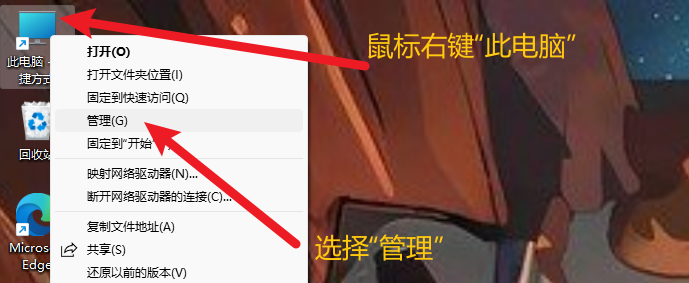
Open "Device Manager"
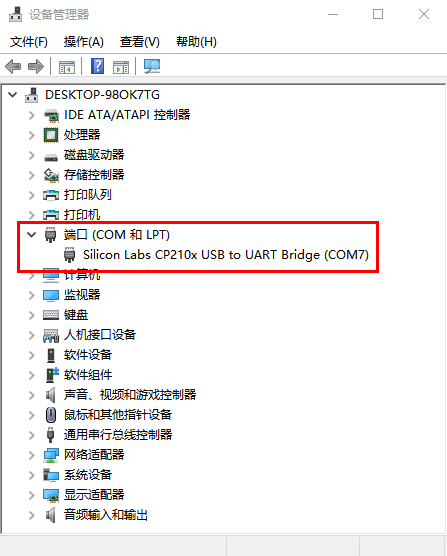
- Check whether the driver is installed.
Case 1: The driver is already installed. Please skip the driver installation tutorial and proceed to the next step of learning.
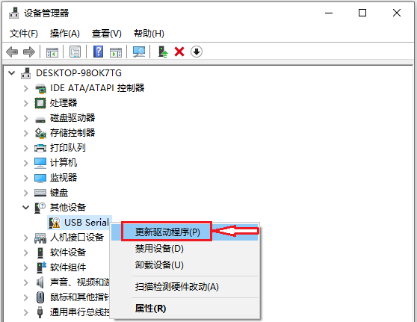
Case 2: The driver is not installed. Please follow the installation tutorial below to install the driver manually. (1) Right-click "USB Serial", select "Update driver (P)" and click it.
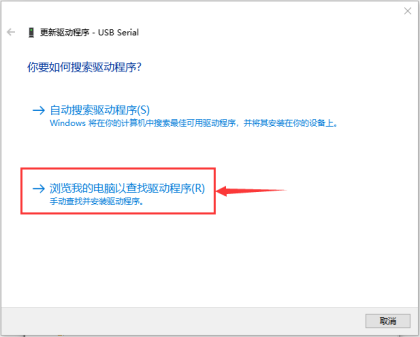
(2) Go to the following page, select "Browse my computer for drivers (R)" and click it.
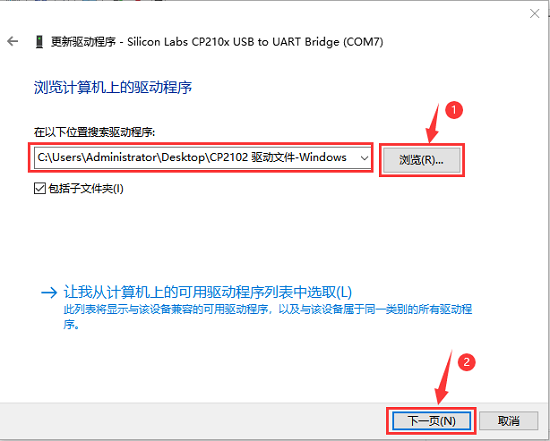
(3) Go back to the beginning to download the CP2102 driver for Windows, copy the driver file to the computer desktop , then unzip the downloaded driver archive, then click "Browse (R)...", select the CP210X series chip driver (that is, the folder obtained after unzipping), and finally click "Next". The location is as follows.
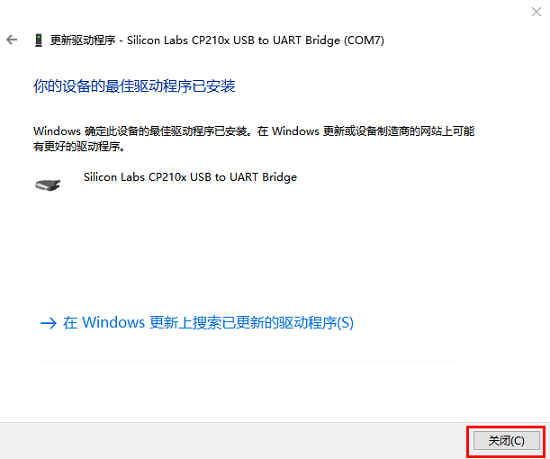
(4). If the interface shows words similar to the following, it proves that the driver is installed successfully. Click "Close".
(5). After the driver is installed, select the "Ports" option. The yellow exclamation mark of the USB disappears, which proves that the driver installation is complete.
2. Install the Driver on Mac
(Note: If the driver has already been installed, there is no need to install it again; if not, the following operations are required.) (1) Use a USB cable to connect the ESP32 main board to your MacOS computer.
(2) CP2102 driver download link: CP2102 Driver Download
(3) Unzip the downloaded archive.
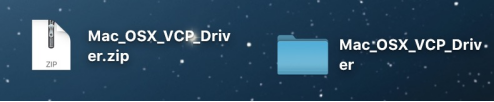
(4) Open the folder and double-click the "SiLabsUSBDriverDisk.dmg" file.
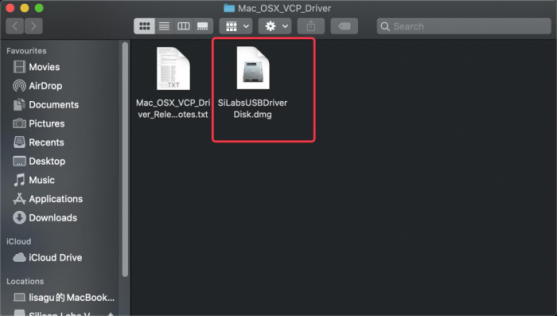
You can see the following file.
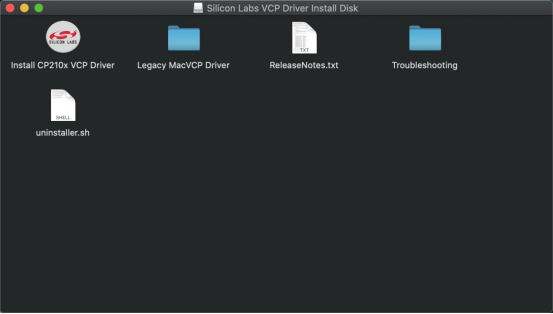
(5) Double-click "Install CP210x VCP Driver", check "Don't warn me when opening application on this disk image" and click "Open".
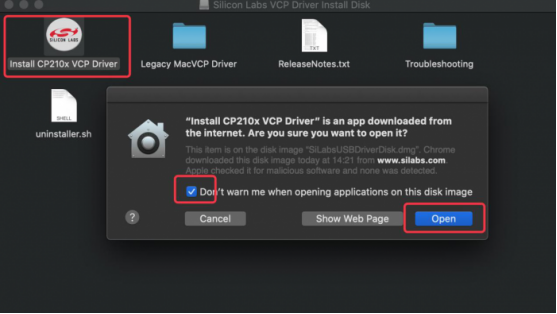
(6) Click "Continue".
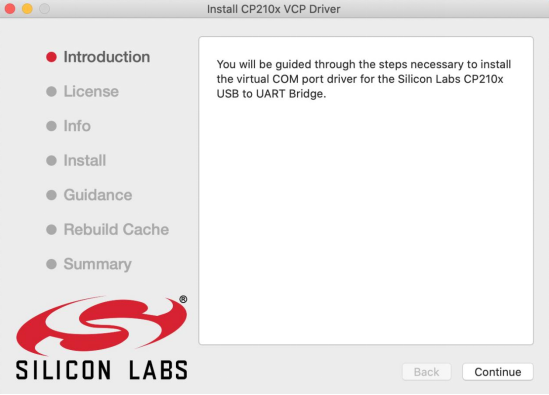
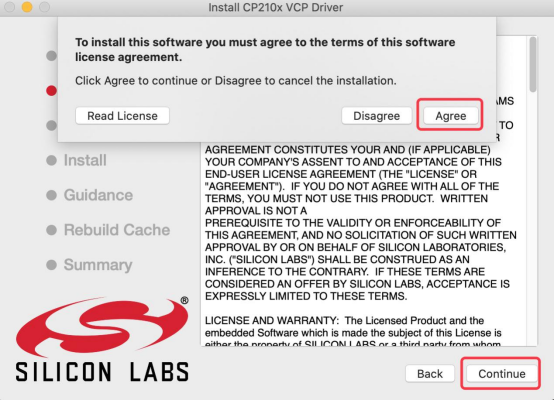
(7) First click "Agree", then click "Continue".
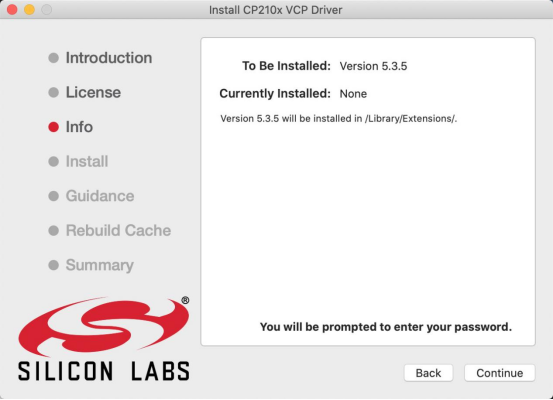
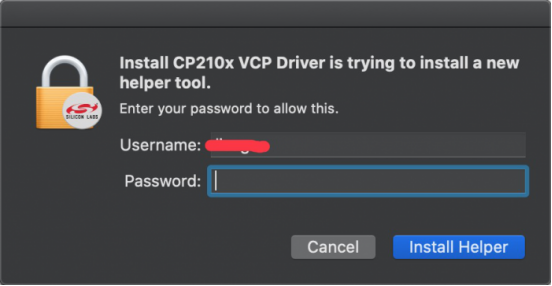
(8) Continue to click "Continue", then enter your user password.
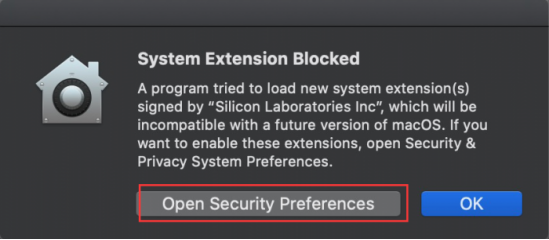
(9) Select "Open Security Preferences".
(10) Click the security lock and enter your user password to authorize. (The unlock password to enter the desktop when the computer is turned on)
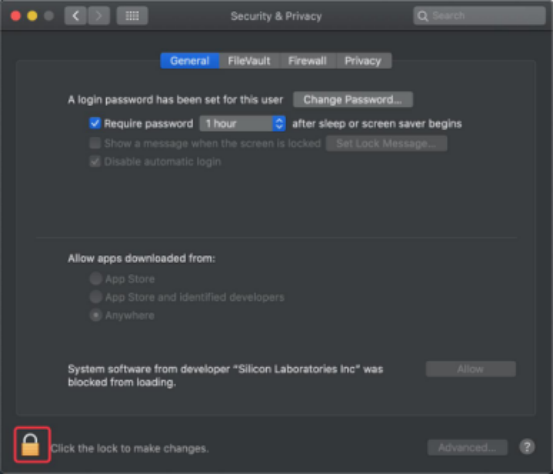
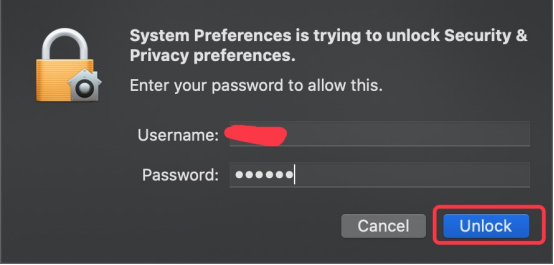
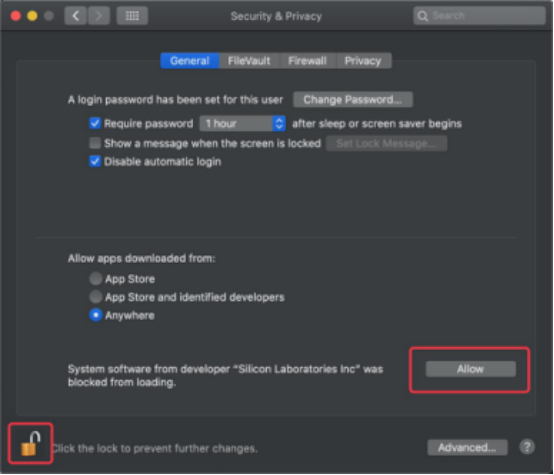
(11) Once you see the lock is opened, click "Allow".
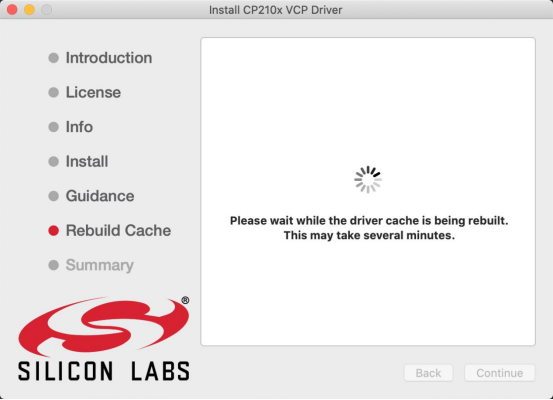
(12) Return to the installation interface and wait for the installation according to the prompts.
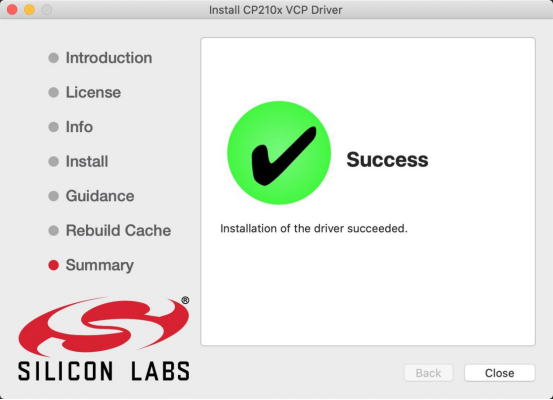
(13) Installation successful.